Add your logo and branding to Upheal 🎨
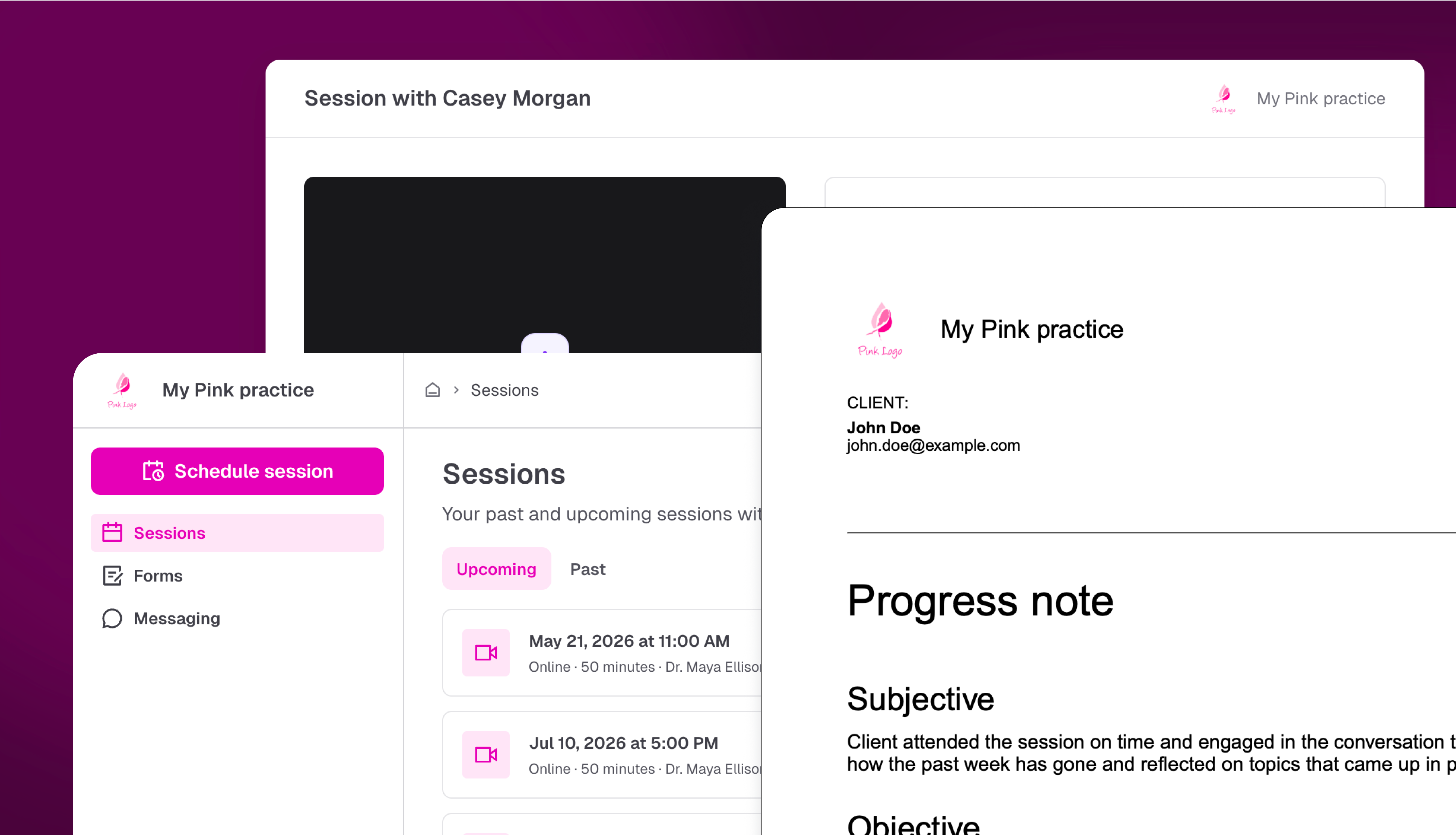
A lot of you have been asking for this one!
Your clients receive superbills, invoices, intake forms, and progress notes from Upheal, and until now those documents looked like they came from a third-party tool, not your practice.
Now, you can upload your logo, set your practice name, and choose a brand color. Everything your clients see will carry your practice's identity instead.
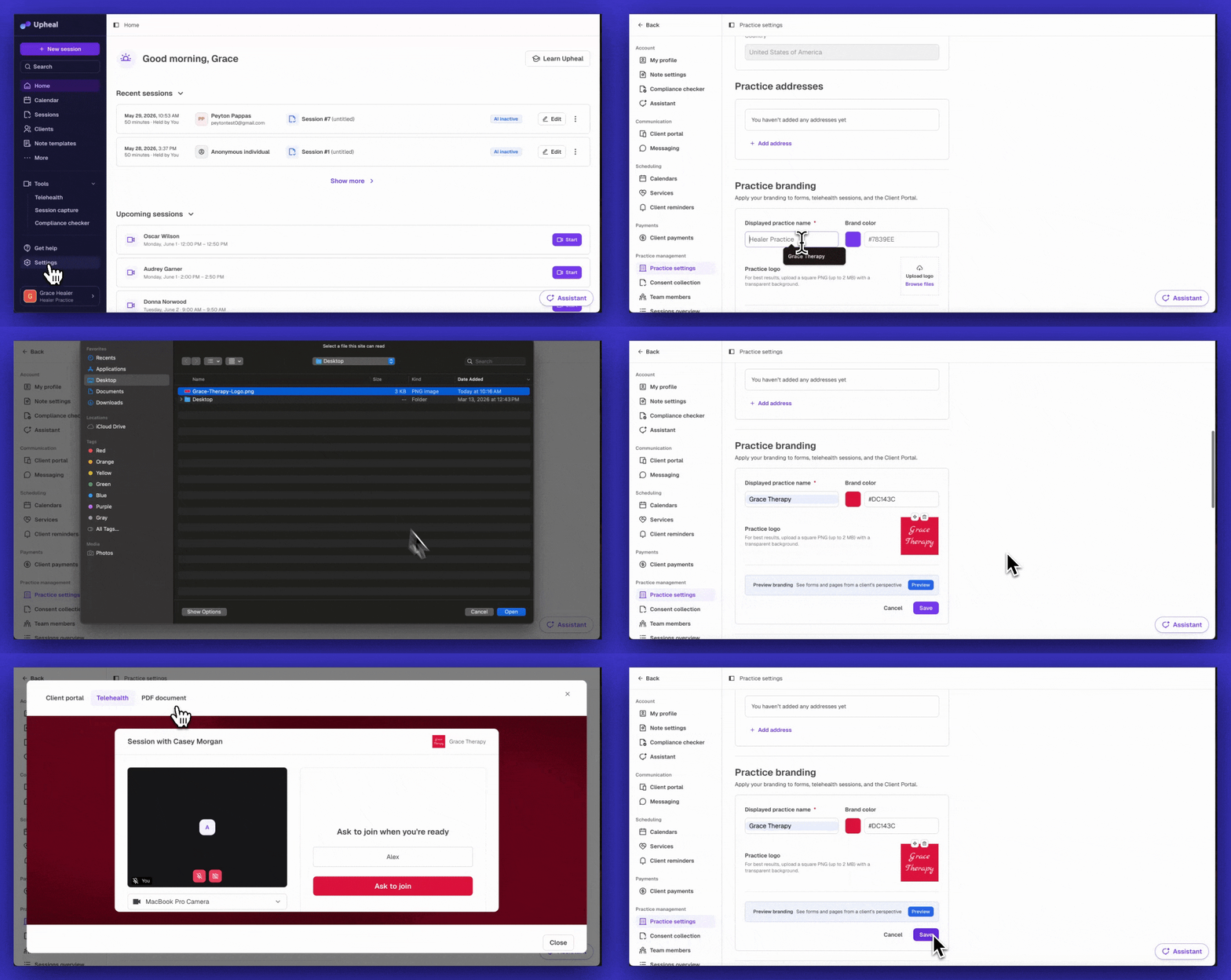
Where your branding appears:
PDFs: Progress Notes, Submitted Forms, Invoices, Payments, Superbills, Credit Notes, and Statements
Client Portal: your logo and practice name appear in the portal header
Telehealth screens: the waiting room and session view reflect your practice brand
Your branding also applies retroactively, so even forms submitted in the past will include your logo when downloaded.
Go to Settings → Practice branding to get set up. Practice branding is available on Premium.
What's coming next?
Branding in the mobile apps: your logo and colors will extend to the native iOS and Android client apps