Recent updates

Follow new updates and improvements to Upheal.

The last reason to run two platforms just disappeared 🔥

This is what the Summer of EHR Switching is all about. Notes, claims, eligibility, and payments now live in one place, right next to the session they came from. No portal-hopping, no separate subscription. Join the waitlist before we launch and you get 3 months of claim fees free, a free guided migration, and a spot at the front of the line.

Join the waitlist →

How it works:

  • One workflow, start to finish: A finished note becomes a claim without re-entering anything. Your CPT codes, diagnosis, and session details are already there.

  • Eligibility without the portal-hopping: Check a client's insurance coverage inside Upheal instead of logging into payer sites.

  • Pay per claim, not per month: There's no added monthly fee. You pay $0.30 per claim submission and $0.15 per eligibility check, only when you're billing. Your payer contracts and NPI stay yours.

Pre-launch offer for waitlist members:

Join the waitlist before billing goes live and you get your first three months of claim fees free, plus a free guided migration. Migration slots are first come, first served and most practices are set up in under a day.
Join the waitlist →

New

Send files to clients in messages 📎

Most EHRs still don't support file attachments in client messaging. Upheal now does.

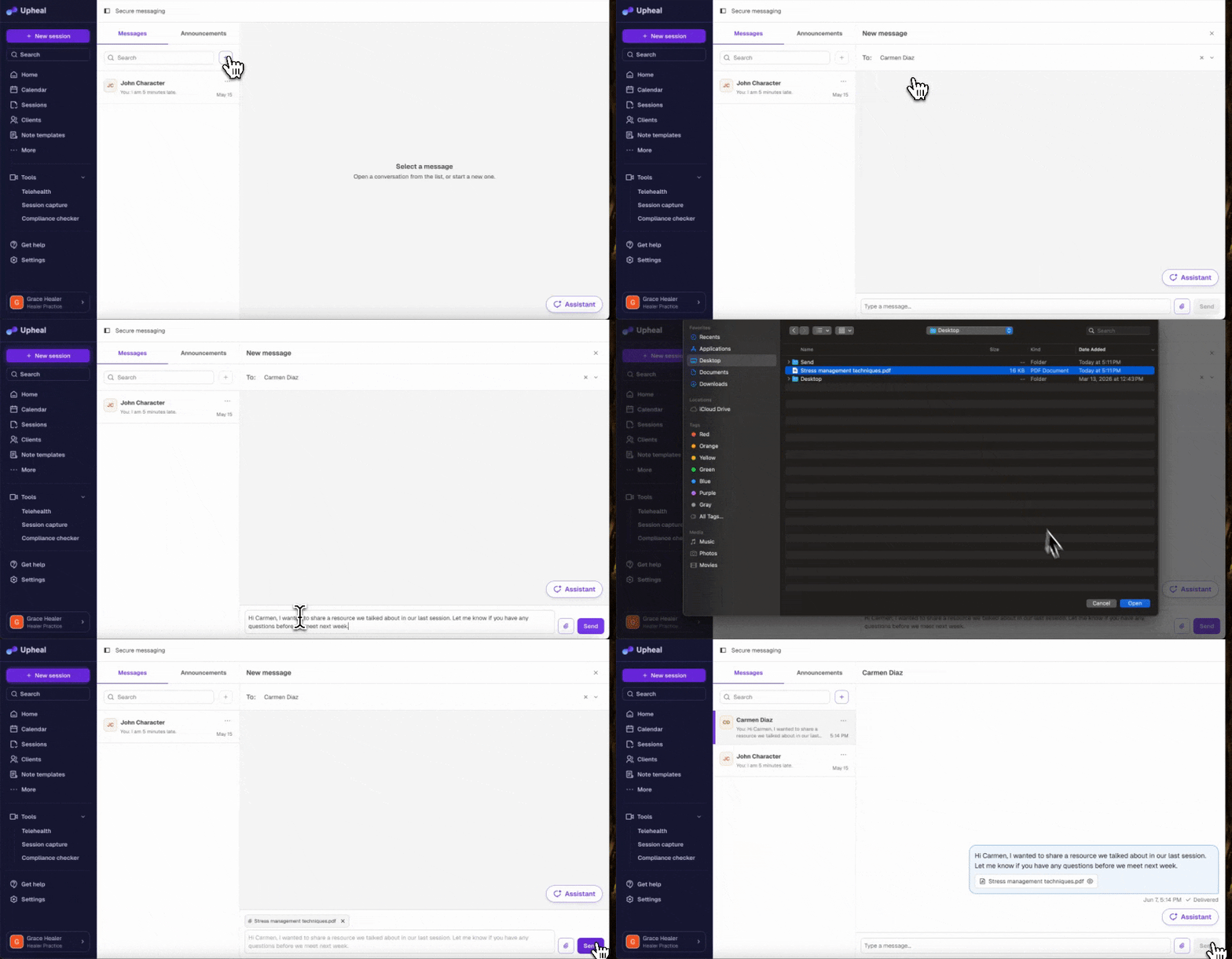
You and your clients can send files to each other through Upheal messaging. Images appear inline in the conversation, and PDFs, Word docs, CSVs, and spreadsheets show a preview clients can open or download. Any file up to 20MB is supported.

Handy for sending intake materials, worksheets, handouts, or anything you'd normally have to email separately.

What's coming next?

  • AI Assistant attachments: Send files to the AI Assistant to surface insights and store them in client charts

Go to Upheal messaging →

Your practice brand now shows up in the client portal apps 📱

Your practice name, logo, and brand color now appear inside the iOS and Android client portal apps, consistent with what clients see on the web portal.

If you've already set up branding in Upheal, there’s nothing more to do. Your clients will see it automatically when they open the app.

Set up practice branding →

NewImproved

Add your logo and branding to Upheal 🎨

A lot of you have been asking for this one!

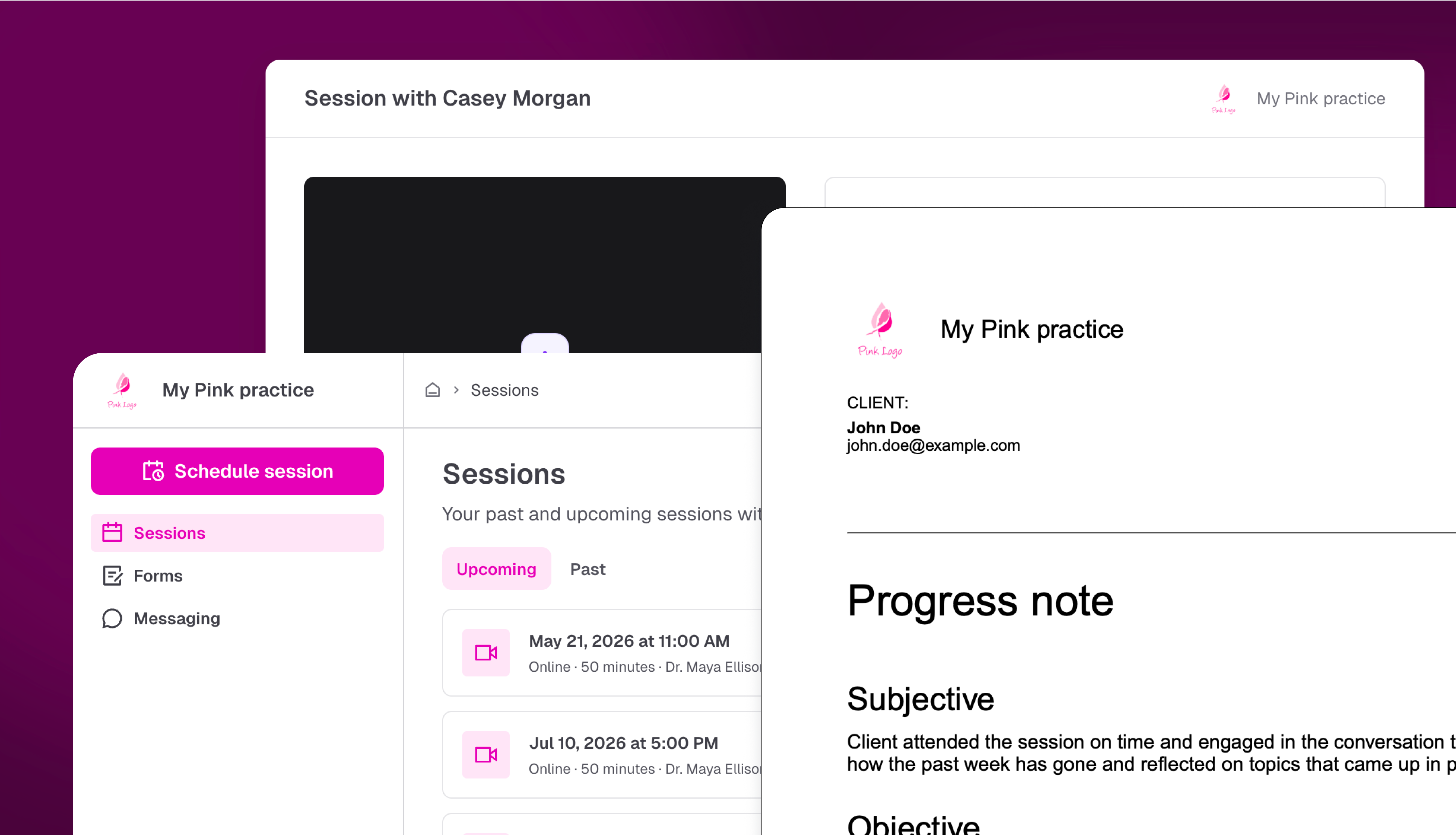
Your clients receive superbills, invoices, intake forms, and progress notes from Upheal, and until now those documents looked like they came from a third-party tool, not your practice.

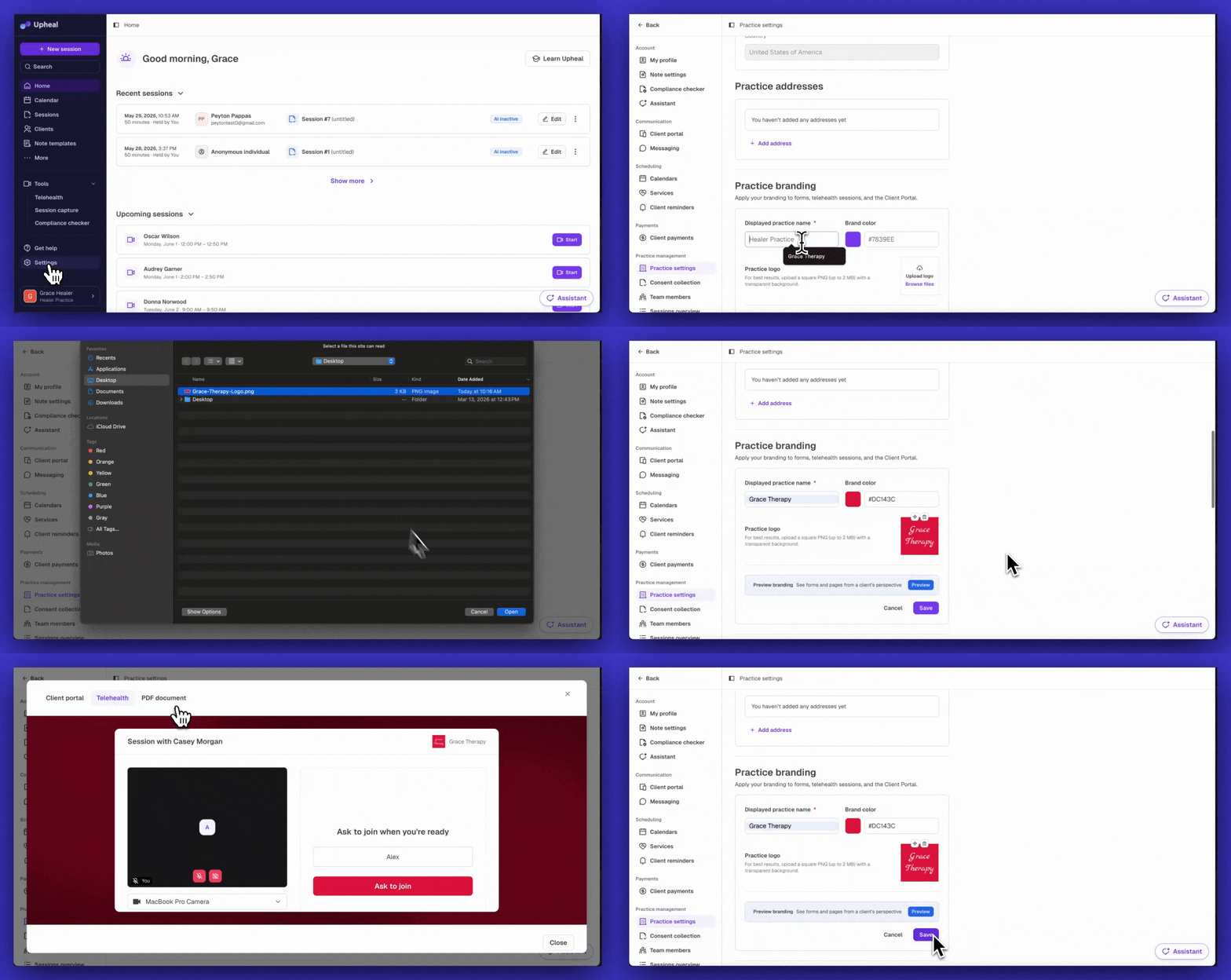
Now, you can upload your logo, set your practice name, and choose a brand color. Everything your clients see will carry your practice's identity instead.

Where your branding appears:

  • PDFs: Progress Notes, Submitted Forms, Invoices, Payments, Superbills, Credit Notes, and Statements

  • Client Portal: your logo and practice name appear in the portal header

  • Telehealth screens: the waiting room and session view reflect your practice brand

Your branding also applies retroactively, so even forms submitted in the past will include your logo when downloaded.

Go to Settings → Practice branding to get set up. Practice branding is available on Premium.

What's coming next?

  • Branding in the mobile apps: your logo and colors will extend to the native iOS and Android client apps

Set up Practice branding →

New

Earlier updates