Fill out Client Forms during a session 🖊️
Sometimes a client needs to complete a form but can't do it on their own before the appointment. Now, you can fill out forms on a client's behalf directly during a session, without interrupting the flow of care.
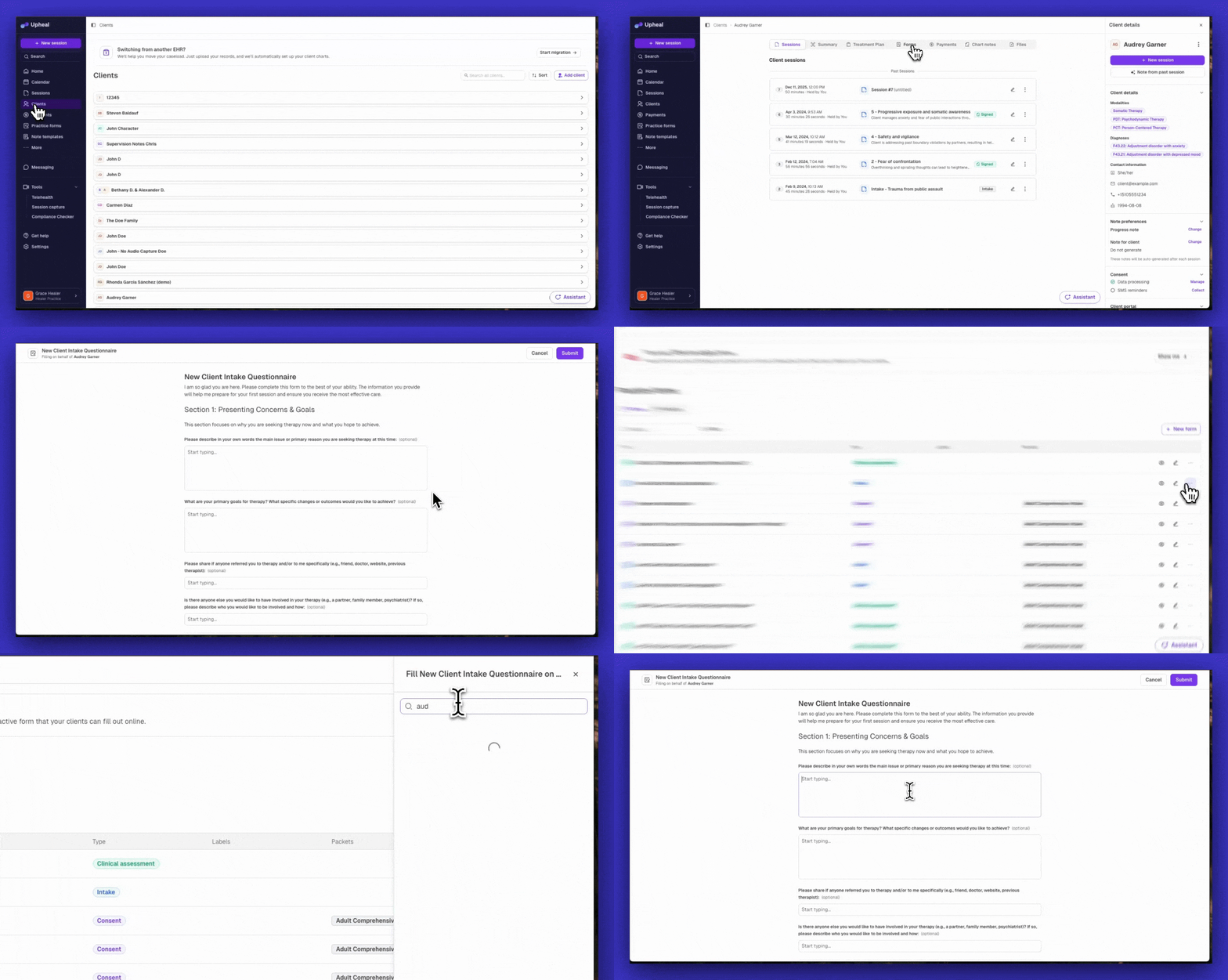
How to use it:
From Client → Forms tab, find any uncompleted sent form and click Fill for Client
From Practice Forms, open the form menu, click Fill for Client, then select the client and continue
Either path opens the form in a dedicated full-screen tab. It's designed to be screen-shared with a client during a video call and no other sensitive information from Upheal is visible.
A few things to know:
Signature forms and payment/card collection forms cannot be completed by providers, those stay client-only
No email notifications are sent to the client when a provider submits a form
Provider-submitted forms still appear in the client's portal, so their record stays complete
Have a feature request or want to see what else is coming? Check out our roadmap →